
In the context of academic conferences and journals, a Camera-Ready paper is the final, polished, and non-negotiable version of your manuscript that is ready for publication.
When you submit a camera-ready paper, you are telling the conference organizers: "This document is perfect. You can print it or publish it online exactly as it is."
The term is a legacy from the days of physical printing. Before digital publishing, manuscripts were literally photographed by a high-resolution camera to create the printing plates for offset printing. If the paper had a smudge, a typo, or a wrong margin, the camera would capture it, and it would appear in the final book.
Today, while the process is digital (PDFs), the term remains to emphasize that no further typesetting or editing will be done by the publisher.
| Feature | Initial Submission (Draft) | Camera-Ready (Final) |
| Purpose | For Peer Review | For Publication (Proceedings) |
| Authors | Often Anonymous (Double-Blind) | Must include Author Names & Affiliations |
| Content | May contain minor errors | Must be error-free |
| Formatting | Strict, but focuses on readability | Pixel-perfect adherence to templates |
| Validation | Standard PDF | PDF eXpress / ISO-compliant PDF |
| Revisions | Allowed after review | Strictly prohibited after submission |
1. Acceptance Notification
You receive an email stating your paper has been accepted. This email usually contains the reviewers' comments.
2. Revision (The "Polishing" Phase)
You must modify your paper to address the reviewers' feedback. This is mandatory. You should also fix any typos, grammar issues, or blurry figures.
3. De-Anonymization
If the conference review was "Double-Blind," you must now add the author names, emails, and affiliations back into the header of the paper.
4. Formatting Compliance
You must ensure your paper strictly follows the conference template (e.g., IEEE 2-column format). Check margins, font sizes, and line spacing.
Critical: Ensure all fonts are embedded.
5. PDF Validation (e.g., IEEE PDF eXpress)
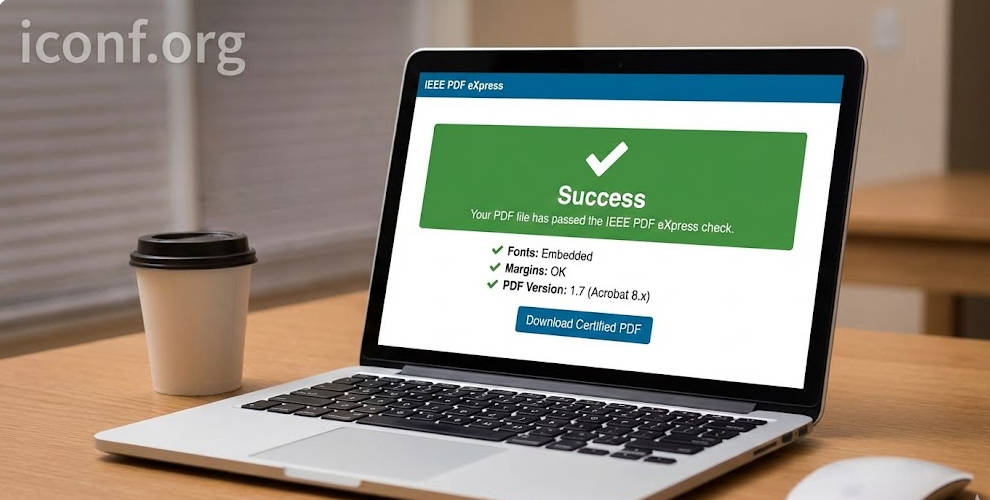
For IEEE conferences, you cannot just save as PDF. You must upload your source file (Word/LaTeX) to the IEEE PDF eXpress site. This tool converts it into a compliant PDF that meets digital archiving standards (Xplore-compatible).
6. Copyright Transfer
Along with the camera-ready paper, you must sign and submit a Copyright Transfer Form (e-Copyright), granting the publisher the right to distribute your work.
7. Final Upload
Upload the validated PDF to the conference submission system (e.g., CMT, EasyChair, EDAS) before the hard deadline.
Before you hit "Submit," verify these 5 points:
Author Details: Are all names, affiliations, and emails correct? (Once published, these cannot be changed).
Reviewer Comments: Did you address the mandatory changes requested by the reviewers?
Visuals: Are all images high-resolution (300dpi) and readable in black-and-white (if required)?
Formatting: Did you remove page numbers? (Conferences add their own page numbers later).
Files: Do you have the Source File (Word/LaTeX), the Validated PDF, and the Copyright Form ready?
Warning: Missing the Camera-Ready deadline usually results in your paper being removed from the conference proceedings, even if it was accepted.