
By default, Turnitin scans your entire document, including the reference list or bibliography at the end of your paper. Because standard academic citations (like IEEE or APA formats) follow strict, identical syntax across thousands of publications, these sections will almost always trigger a high similarity match.
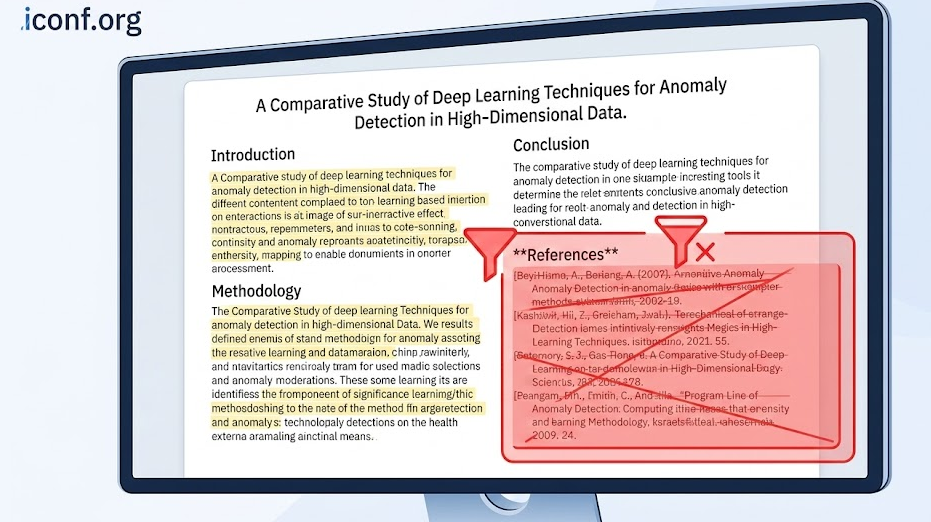
Why References Inflate Your Score When the software compares your manuscript against its global database, it recognizes the book titles, journal names, and author groupings in your bibliography as previously published text. It is entirely common for a reference section to be highlighted almost entirely in red or yellow on the final similarity report.
How Organizers Handle Bibliography Matches Program committees and journal editors are well aware of this technicality. When they evaluate your similarity score, they look at the composition of the matches. If the bulk of your percentage comes from the reference list, it is generally ignored during the evaluation.
Many submission systems and university portals give the instructor or the organizing committee the option to enable the "Exclude Bibliography" filter. When activated, Turnitin automatically skips the reference section, dropping the overall similarity index to reflect only the main body text.
If you are running a self-check before submitting, look for the filter settings icon in your Turnitin dashboard and check the box labeled "Exclude Bibliography" to get a more accurate picture of your paper's true originality.
For researchers preparing to submit their very first paper, the process can feel intimidating. Navigating peer review, similarity checks, and formatting rules requires a strategic approach. Here is how to handle your first submission smoothly.
Select the Right Platform The most critical step is finding a legitimate, high-quality venue that aligns with your research. Avoid searching randomly on search engines, as this increases the risk of stumbling upon predatory events. Instead, rely on established, professional databases to filter and find verified conferences.
Platforms such as uconf.com and call4papers.org provide excellent directories for upcoming calls for papers across various disciplines. Additionally, checking specialized academic indexes like icfp.net or iconf.com can help you easily verify the history and indexing status of a conference before you commit your work.
Prepare the Manuscript Before uploading, ensure your paper strictly follows the required formatting template. Double-check that your citations are properly formatted, as messy bibliographies can confuse similarity checkers and peer reviewers alike.
Navigate the Submission Portal Most conferences use standardized management systems. You will need to create an author account, input your abstract and keywords, and upload your PDF. If the conference uses double-blind review, make sure to completely remove your name, email, and university affiliation from the draft before hitting submit.
Respond to Peer Review After the review period, you will receive feedback. Do not be discouraged by requests for revisions; this is a normal part of the academic dialogue. Address the reviewers' comments methodically, update your manuscript, and prepare your final version for publication.