
For early-career researchers, submitting a paper to an international academic conference for the first time is often an anxiety-inducing experience. Beyond writing the actual science, you must navigate entirely English interfaces, deal with complex submission portals like EasyChair or EDAS, and adhere to strict formatting rules. A single formatting error can result in a "Desk Rejection" before a peer reviewer even looks at your data.
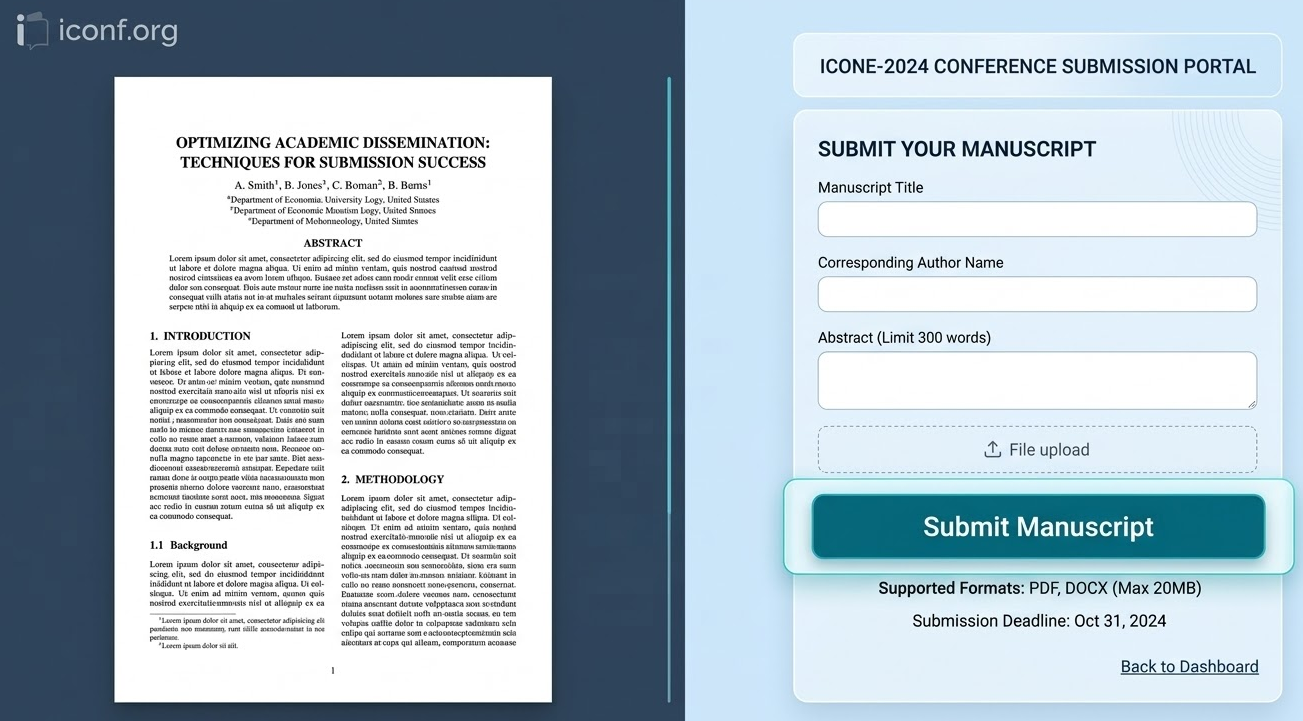
Fortunately, the submission logic for international conferences is highly standardized globally.
Here is a complete, step-by-step 2026 guide to preparing your manuscript, navigating the standard submission systems, and successfully submitting your research without falling into common beginner traps.
Before you even click the "Register" button on a submission portal, your PDF file must be in a flawless, ready-to-submit state.
Strict Template Adherence: Navigate to the conference's official "Call for Papers" or "Author Guidelines" page. Download their specific 2026 Word or LaTeX template (usually standard IEEE two-column or Springer single-column formats). Never manually adjust margins, line spacing, or font sizes to make your text fit.
Double-Blind Review Compliance: If the conference utilizes a "Double-Blind" review process, you must completely anonymize your initial draft. Delete all author names, university affiliations, and email addresses from the title block. Furthermore, when citing your own previous work in the text, use the third person (e.g., write "As shown in previous studies [1]" rather than "As we showed in [1]").
Pre-Submission Plagiarism Check: Run your final draft through a similarity checker like Turnitin or iThenticate. Ensure your overall similarity score is comfortably below 20%, and that no single source accounts for more than 5% of the matches.
International conferences rarely accept submissions via direct email. Organizers utilize dedicated third-party manuscript management systems. The three most common platforms you will encounter in 2026 are:
EasyChair: The most widely used system globally. The interface is slightly dated but highly stable and straightforward.
EDAS: Frequently used for IEEE-sponsored engineering and communications conferences. It is notorious for its incredibly strict, automated PDF formatting checks.
CMT (Microsoft Academic CMT): The dominant platform for top-tier computer science and artificial intelligence conferences (such as CVPR or NeurIPS).
Action Step: Locate the "Submission Link" on the conference website. Create a new account using your institutional email address (e.g., your .edu email). It is highly recommended to link your ORCID (Open Researcher and Contributor ID) during registration to ensure your future publication is accurately tracked in global databases.
Once logged in, click "Make a New Submission" or "Create New Paper." You will be directed to a metadata entry page. The information you provide here is critical, as it dictates how your paper is indexed and how it appears in the official conference program.
Title & Abstract: Copy and paste your title and abstract directly into the text boxes. Carefully review the text to ensure no special mathematical characters or Greek letters have been corrupted into gibberish. Pay strict attention to the abstract word limit.
Keywords: Enter 3 to 5 precise keywords. The system uses these exact terms to match your paper with the most qualified peer reviewers.
The Author List: This is where beginners frequently make mistakes. You must manually add the names, affiliations, and emails of every single co-author into the system, not just your own. You must then drag and drop the names to perfectly match the author order printed on your PDF. Finally, you must designate who will act as the "Corresponding Author" to receive all official communications.
The final step is uploading your manuscript file.
File Naming: Keep your file name simple, professional, and entirely in English (e.g., Paper_Title_Submission.pdf). Avoid using special characters or extremely long file paths.
Automated Font and Margin Checks: Systems like EDAS will scan your PDF the moment you upload it. If your PDF contains un-embedded proprietary fonts, or if your margins are off by a fraction of a millimeter, the system will instantly reject the file with a red error code. If this happens, do not panic. Return to your Word or LaTeX editor, ensure all fonts are embedded, re-export the PDF to the strict template standards, and try again.
Once the file is accepted, you will see a green "Submission Successful" screen and receive an automated confirmation email containing your unique "Paper ID."
Your paper status will now officially change to "Under Review." For the next several weeks or months, you simply need to wait. Do not send emails to the organizing committee asking for updates; the peer-review timeline is fixed and out of their immediate control. Focus on your next research project until the notification date arrives.